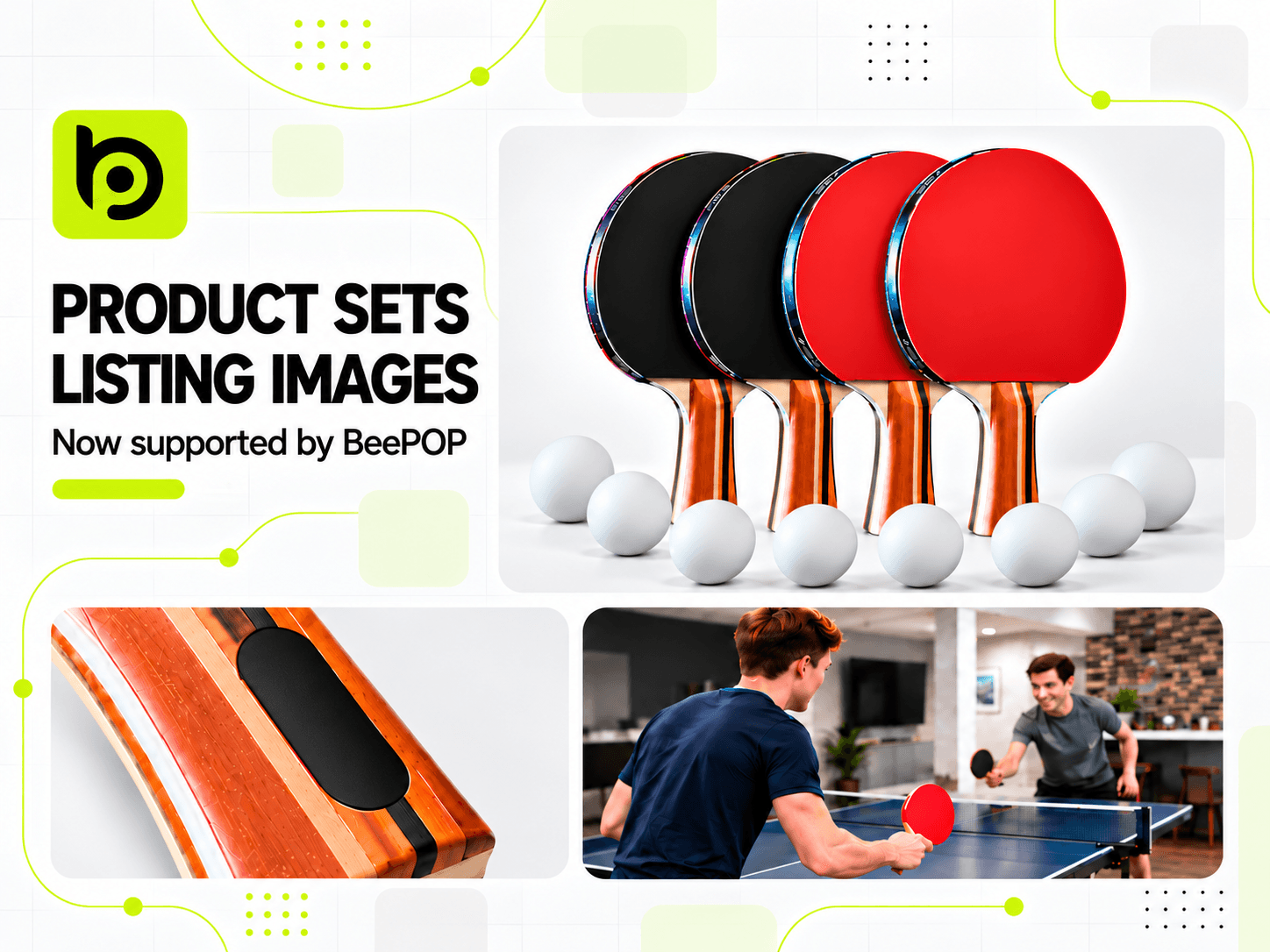
Product sets often include multiple components, making it easy for AI to miss items or misinterpret quantities and dimensions.
To solve these challenges, BeePOP continues to improve its capabilities. BeePOP now supports Listing image generation for product sets and multi-piece products, helping AI better understand your product and create more accurate visuals.
👉 Try BeePOP: https://app.beepop.ai
Step 1: Upload Your Product Assets
Upload your product images and enter the product name, dimensions, and quantity. Then click Run and wait for the AI to analyze your product.
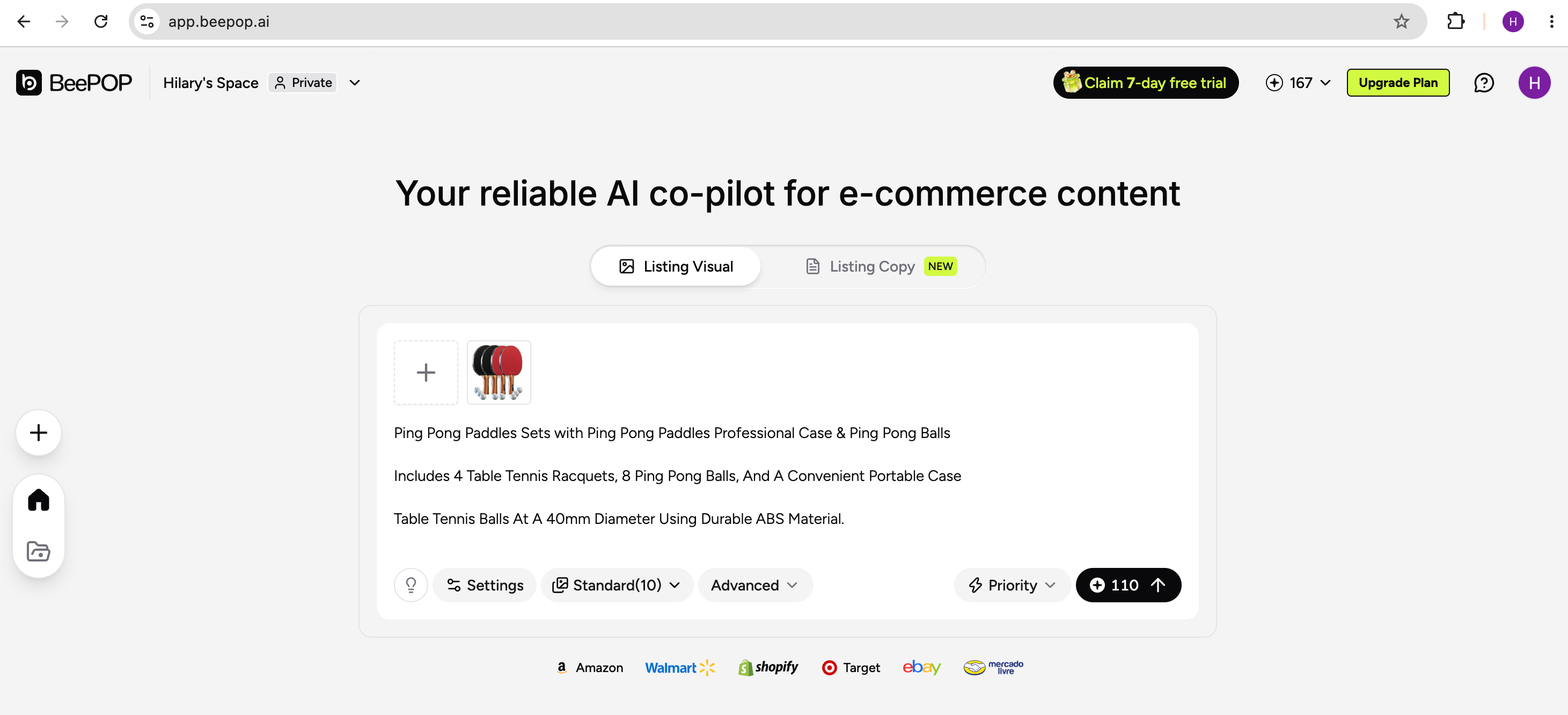
You can also click + to include reference or scene images. If you don’t need them, simply click Run.
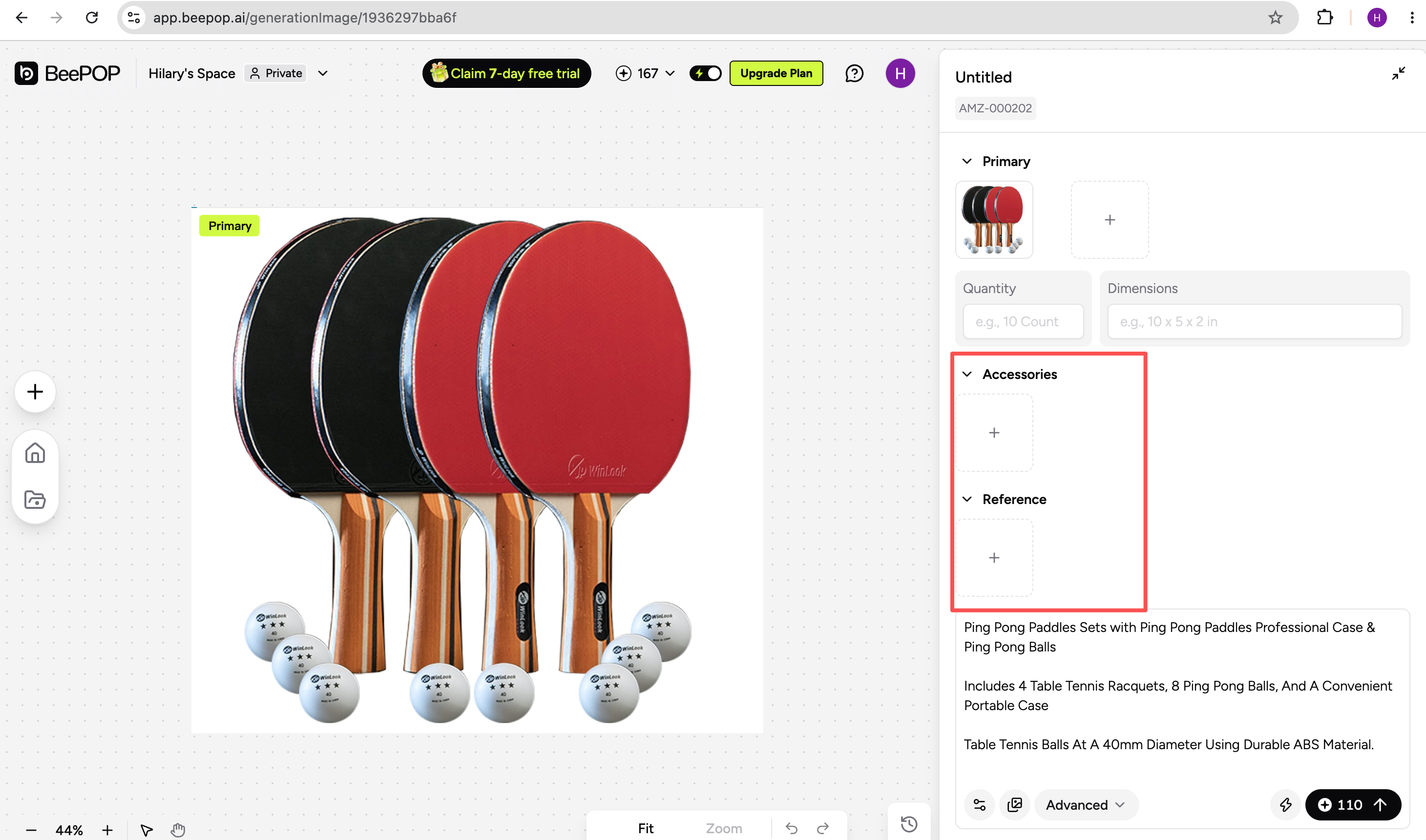
Step 2: Review and Adjust Product Information
AI automatically identifies the components, quantities, and dimensions shown in your images. Review the results and edit the information as needed.
You can also add style instructions to guide the scene, composition, and overall visual direction.
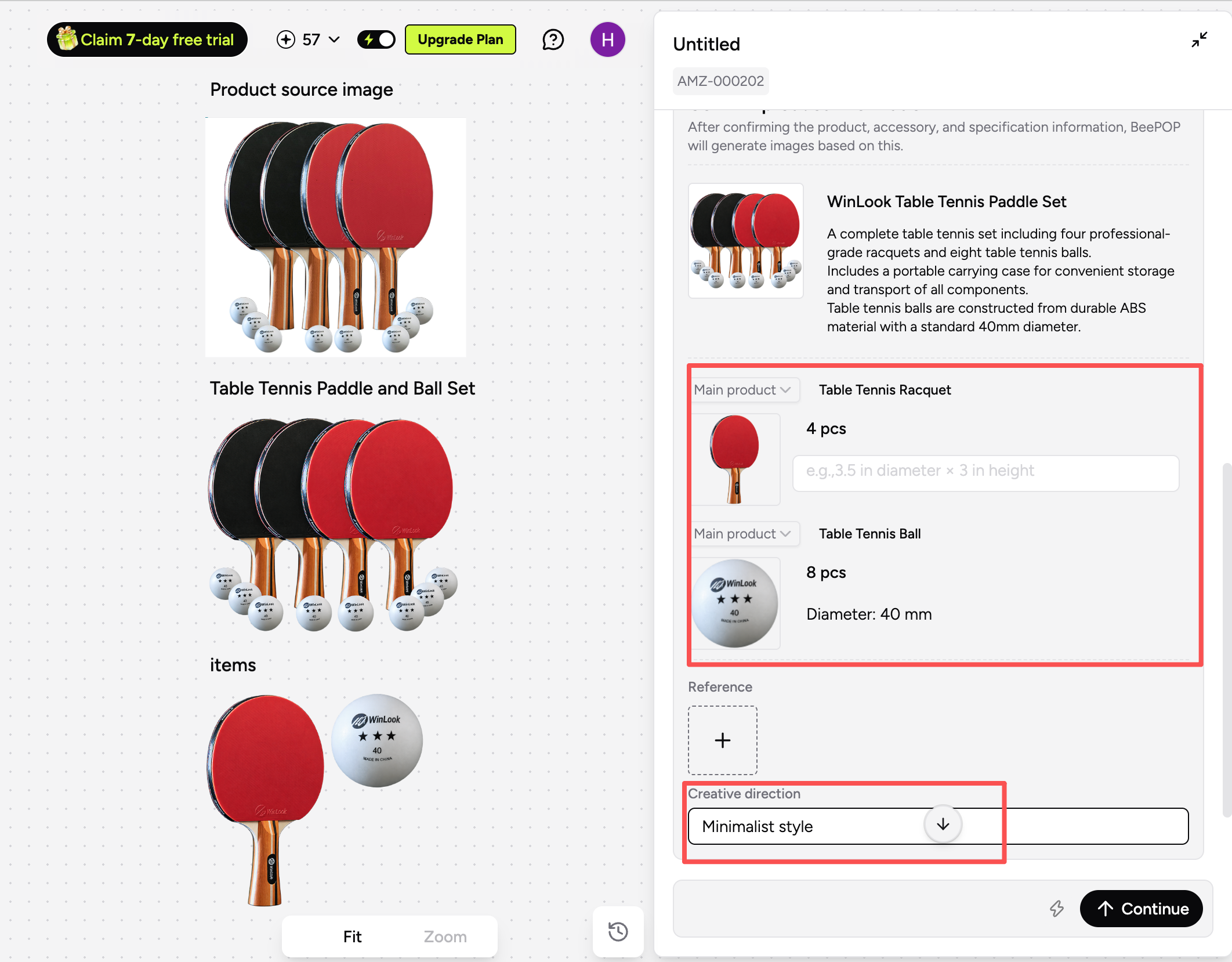
Step 3: View Your Results
Once the product information and style requirements are confirmed, submit your request and view the generated Listing images.
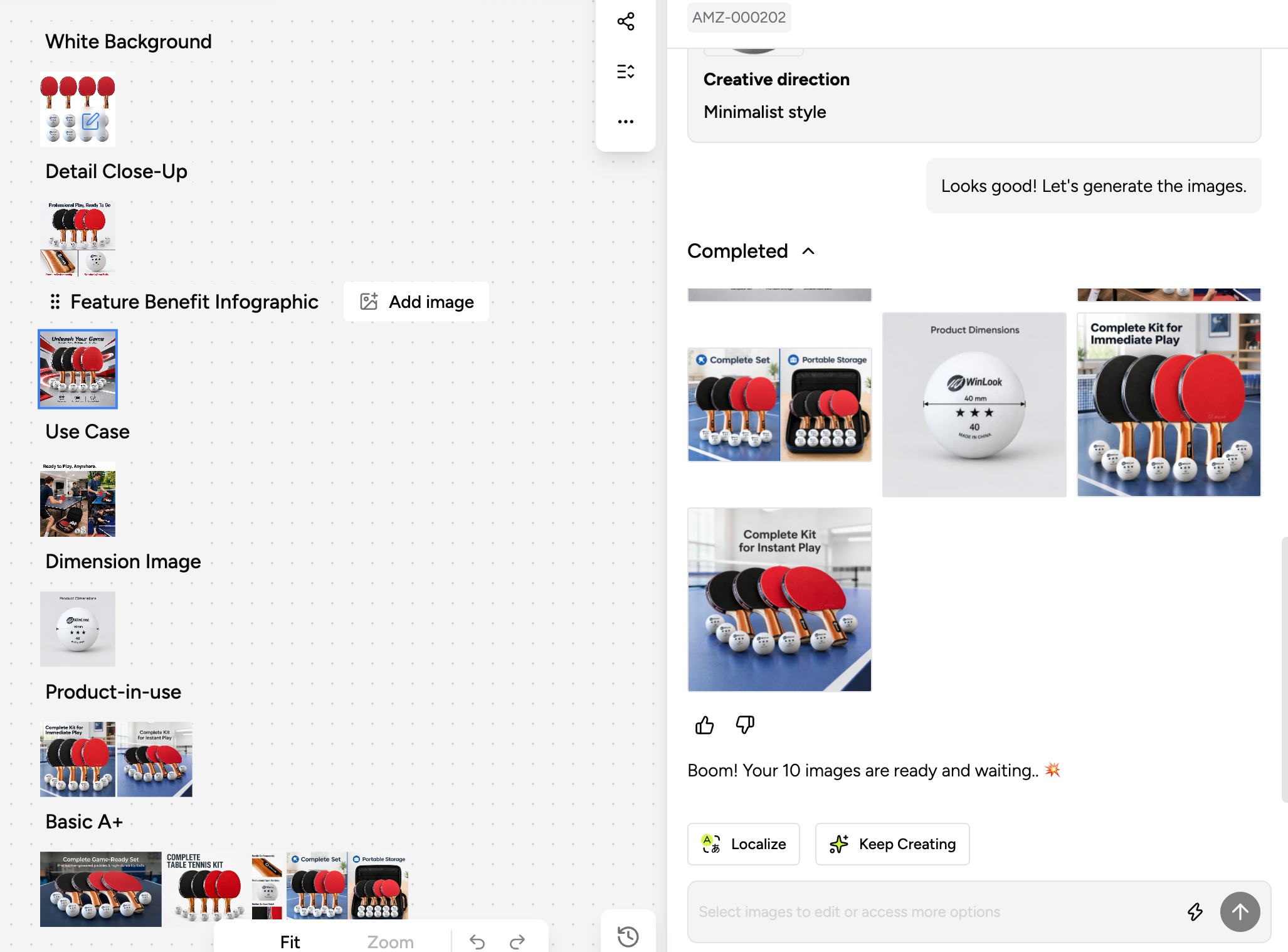
BeePOP continues to improve based on real user needs, making e-commerce content creation more accurate and efficient. Support for product sets is just one of many improvements on the way.
👉 Generate Listing images for your product sets: https://app.beepop.ai