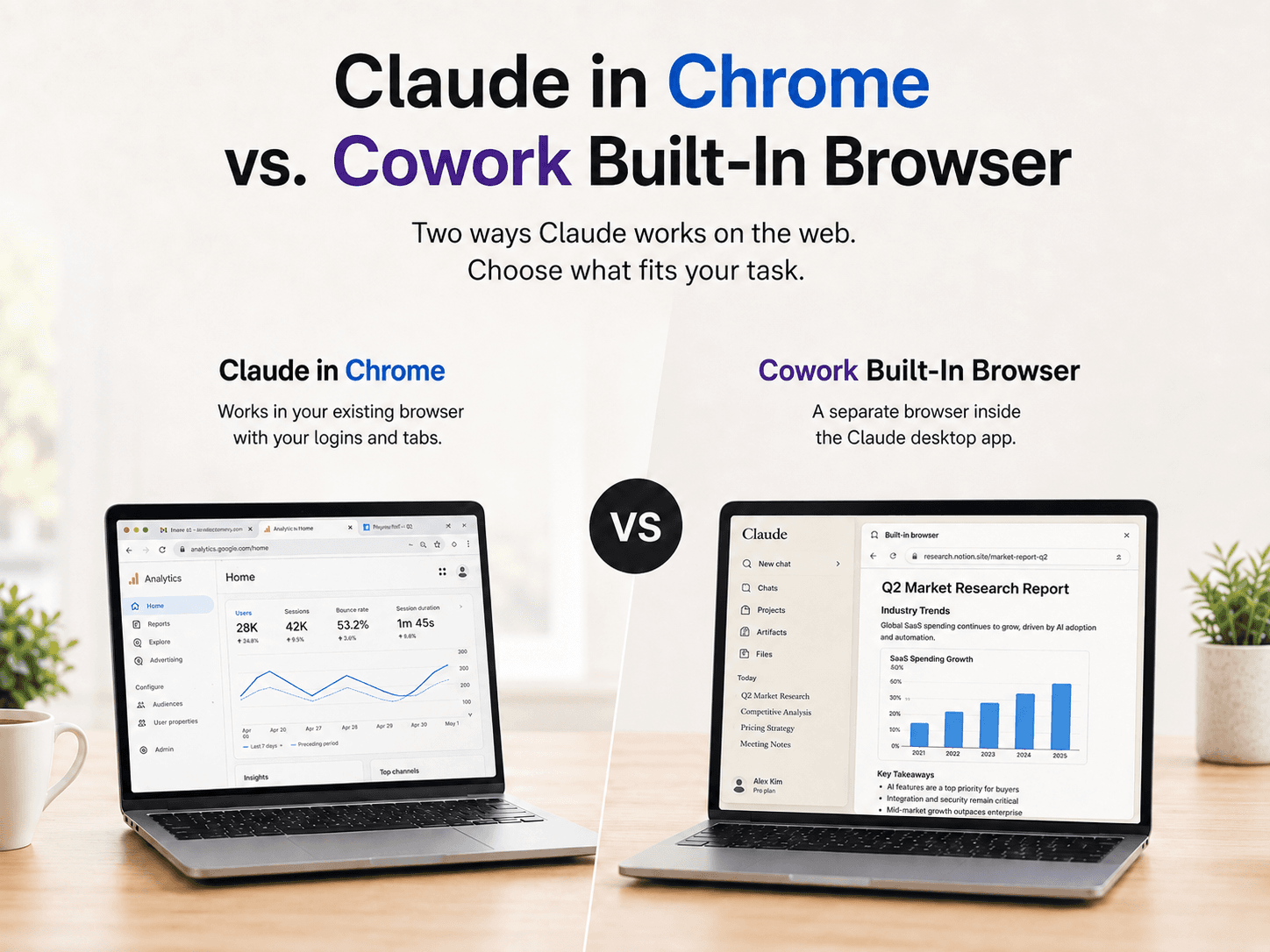
Anthropic now offers two ways for Claude to work with websites: Claude in Chrome, which operates inside the user’s existing Chrome session, and the Cowork built-in browser, which runs separately inside the Claude desktop app.
Both can read webpages, click links, enter text, navigate between pages, and complete forms. The important difference is not simply what Claude can do, but which browser context Claude is allowed to use.
What is Claude in Chrome?
Claude in Chrome is a Chrome extension that gives Claude access to the webpage the user is currently viewing. It can use existing browser logins and interact with websites that may not have a dedicated Claude connector.
Anthropic lists examples such as internal dashboards, legacy systems, vendor portals, CRM platforms, inboxes, and online documents. Claude can read page content, type text, click links, navigate between pages, and fill out forms.
This makes Claude in Chrome especially useful when the task is already tied to a specific page or account. For example, a user might ask Claude to update a CRM record, process messages in an inbox, or edit the document currently open in Chrome.
What is the Cowork built-in browser?
The Cowork built-in browser is a separate browser inside the Claude desktop app. When a task requires a website, Cowork opens the browser in a side panel and Claude performs the web actions there.
Anthropic describes use cases such as gathering research for a report, collecting invoices from a vendor portal, extracting numbers from a dashboard, and working through websites that do not have a connector. No browser extension is required.
The built-in browser is separate from the user’s normal browser. Claude does not automatically see the user’s tabs, bookmarks, or passwords. Logins can be transferred on a site-by-site basis, with banking, email, and single sign-on sites excluded unless the user chooses to include them.
Why the Cowork browser is better suited to independent research
Calling the Cowork browser “better for research” is not about Claude having a different research model. It is about the structure of the task.
Research tasks usually require Claude to open websites, inspect several pages, collect information, and assemble findings while the user continues working elsewhere. Those steps do not necessarily depend on the user’s current browser session. Anthropic describes this category as web work that needs “a browser,” rather than the user’s specific browser.
The separate browser provides three practical advantages:
1. It separates the research task from the user’s personal browsing session
Claude in Chrome works with the browser context the user has already established. That is useful for signed-in workflows, but it also ties the task to the user’s active tabs and accounts.
Cowork starts with its own browser environment. This creates a clearer boundary between Claude’s research task and the user’s personal browsing activity. This is an inference from Anthropic’s description of the browser as separate from the user’s own environment.
2. It supports a clean handoff
With Cowork, the user can delegate the web portion of a task and remain in the desktop app while Claude works in the side panel. The user does not need to keep switching between research tabs, dashboards, or vendor websites.
For example, the user might ask Claude to collect monthly invoice totals from a vendor portal and prepare the findings for a report. Claude can handle the web navigation while the user focuses on reviewing the final output.
Claude in Chrome vs. Cowork built-in browser
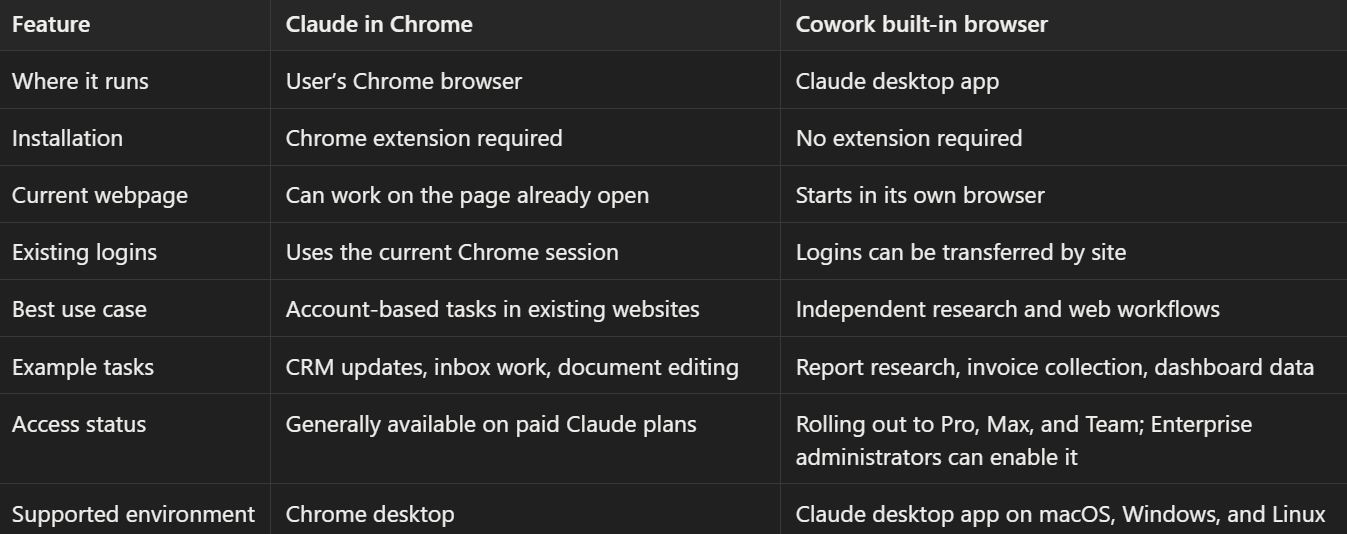
The practical choice is simple: use Claude in Chrome when the task depends on the webpage and account already open in Chrome. Use Cowork’s built-in browser when Claude needs to perform a separate web task without taking over the user’s normal browsing environment.
Availability and setup
Claude in Chrome became generally available on August 26, 2026, for every paid Claude plan. Users install the Chrome extension and sign in with their Claude account. Anthropic says the feature currently requires Chrome and is not available on mobile or other Chromium-based browsers.
The Cowork built-in browser began rolling out during the week of August 26, 2026, to Pro, Max, and Team users in the Claude desktop app for macOS, Windows, and Linux. Anthropic says the feature is in beta, while Enterprise administrators can manage it through organization settings.
If both options are available, users can select the preferred browser under Settings → Cowork → Preferred browser.
A brief note on browser-agent security
Both products face the risk of prompt injection, in which hidden instructions on a webpage, email, or form attempt to redirect an AI agent. Anthropic says Claude uses probes and safety classifiers to review web content and check whether planned actions match the user’s request. The company also notes that these safeguards reduce risk but cannot eliminate it, so users should begin with trusted websites.
Which Claude browser should you choose?
Choose Claude in Chrome if:
- You are already on the relevant webpage.
- The task requires an existing login.
- You need to operate a CRM, inbox, document, or internal system.
- You want Claude to work directly in your current Chrome session.
Choose Cowork’s built-in browser if:
- Claude needs to conduct independent web research.
- You want to collect data from one or more websites.
- You prefer not to share your normal browser context.
- You want to delegate the web portion while continuing other work.
FAQ
Is Claude in Chrome the same as the Cowork built-in browser?
No. Claude in Chrome is a Chrome extension that operates in the user’s browser. The Cowork browser is a separate browser inside the Claude desktop app.
Does the Cowork browser use my existing Chrome tabs?
No. Anthropic says it is separate from the user’s browser and does not automatically access tabs, bookmarks, or passwords.
Which Claude browser is better for research?
Cowork’s built-in browser is generally better for independent research because it gives Claude a separate environment for web tasks while the user continues working elsewhere.
Which option is better for CRM or email tasks?
Claude in Chrome is usually the better fit when the CRM or inbox is already open and the user is signed in.
Is Claude in Chrome available on mobile?
Anthropic says Claude in Chrome currently requires Chrome desktop and is not available on mobile.
Are browser agents completely protected from prompt injection?
No. Anthropic says its safeguards reduce prompt-injection risk, but the threat remains evolving.
Conclusion
Claude in Chrome and the Cowork built-in browser serve different purposes.
Claude in Chrome brings Claude into your browser. Cowork gives Claude a browser of its own.
For CRM updates, inbox management, and work inside an already-open account, Claude in Chrome is the more direct option. For research, data collection, and web tasks that do not depend on the user’s current tabs, Cowork’s built-in browser provides a cleaner workflow.