Creating an Amazon Listing requires more than describing a product accurately. Sellers must also consider keyword placement, selling-point prioritization, readability, and platform compliance.
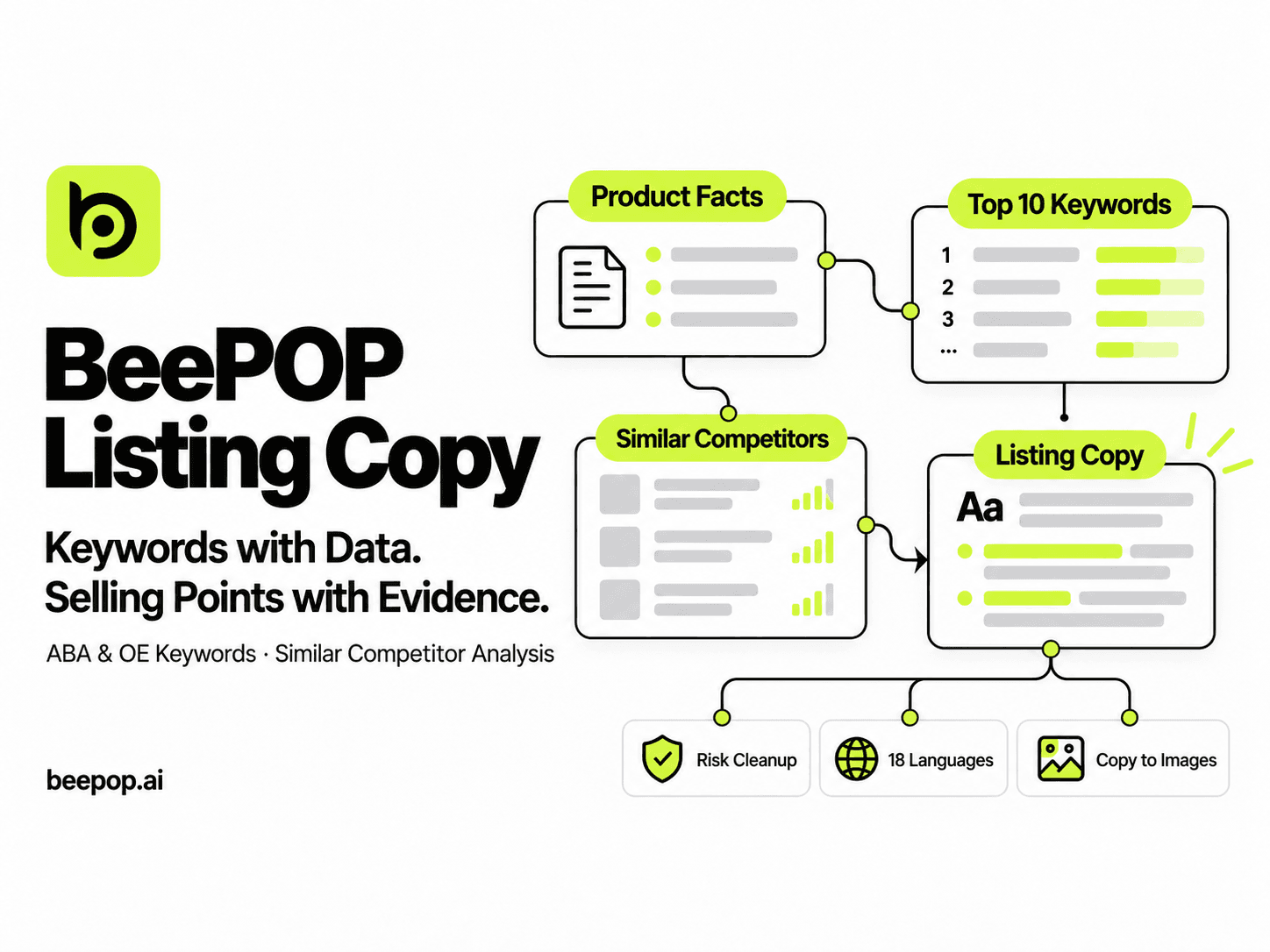
BeePOP Listing Copy goes beyond basic AI writing. It combines product information with ABA and OE search data and similar-competitor analysis to identify relevant keywords, extract meaningful selling points, and generate complete Listing copy for review and further optimization.
How to Try BeePOP Listing Copy for Free
BeePOP offers a 7-day free trial. Register an account and add a credit card to activate the trial and access Listing Copy.
Try BeePOP: https://app.beepop.ai
During the free trial, Listing Copy is available for 0 Credits. No generation channel or additional settings are required, and the generated results are the same as those created using Credits.
How to Generate Listing Copy with BeePOP
Step 1: Submit Your Product Information
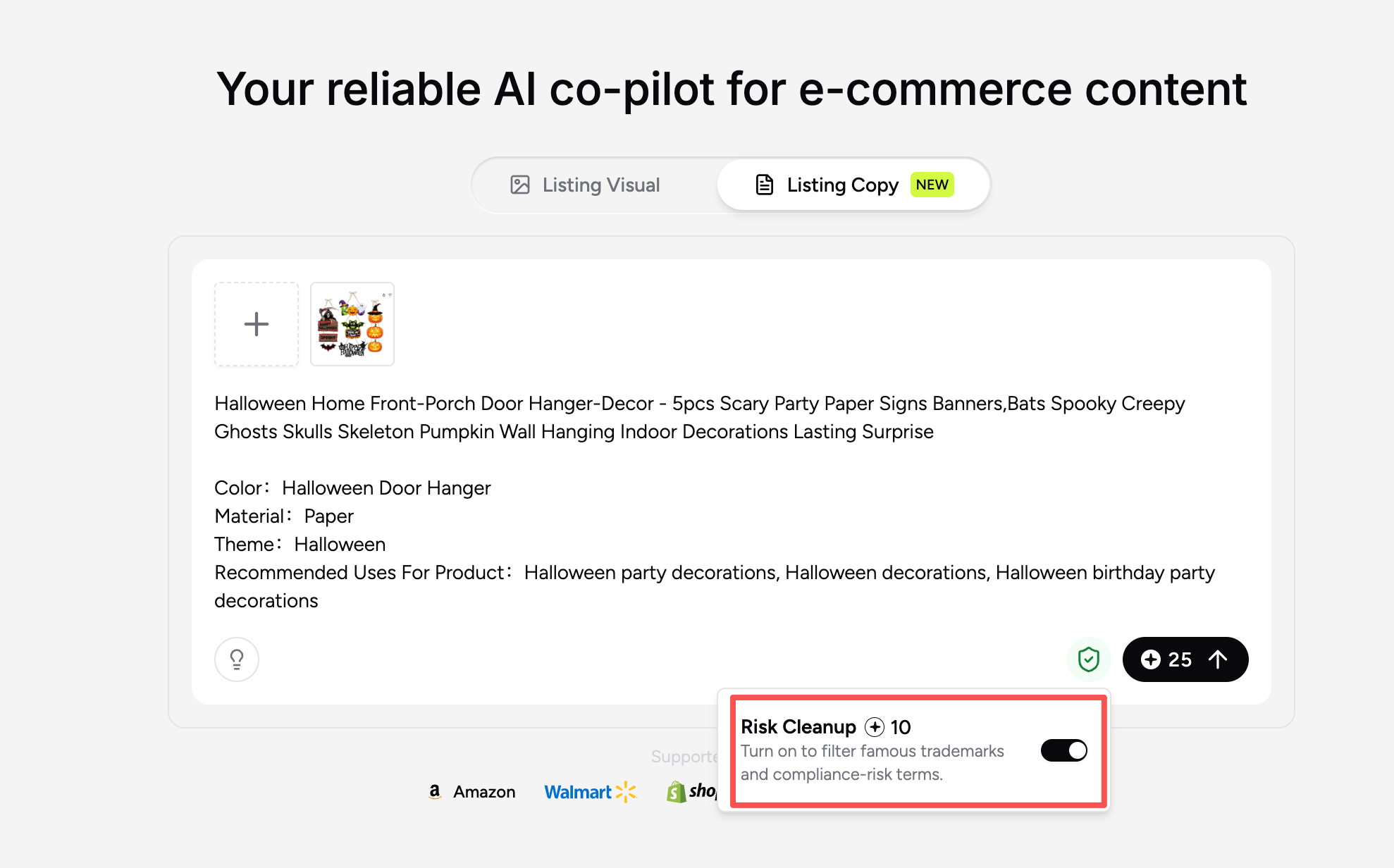
Upload product images, including main product images, detail images, and feature images. Then enter information such as the product name, key features, and specifications.
Risk Cleanup is enabled by default to identify and filter potentially risky wording during copy generation.
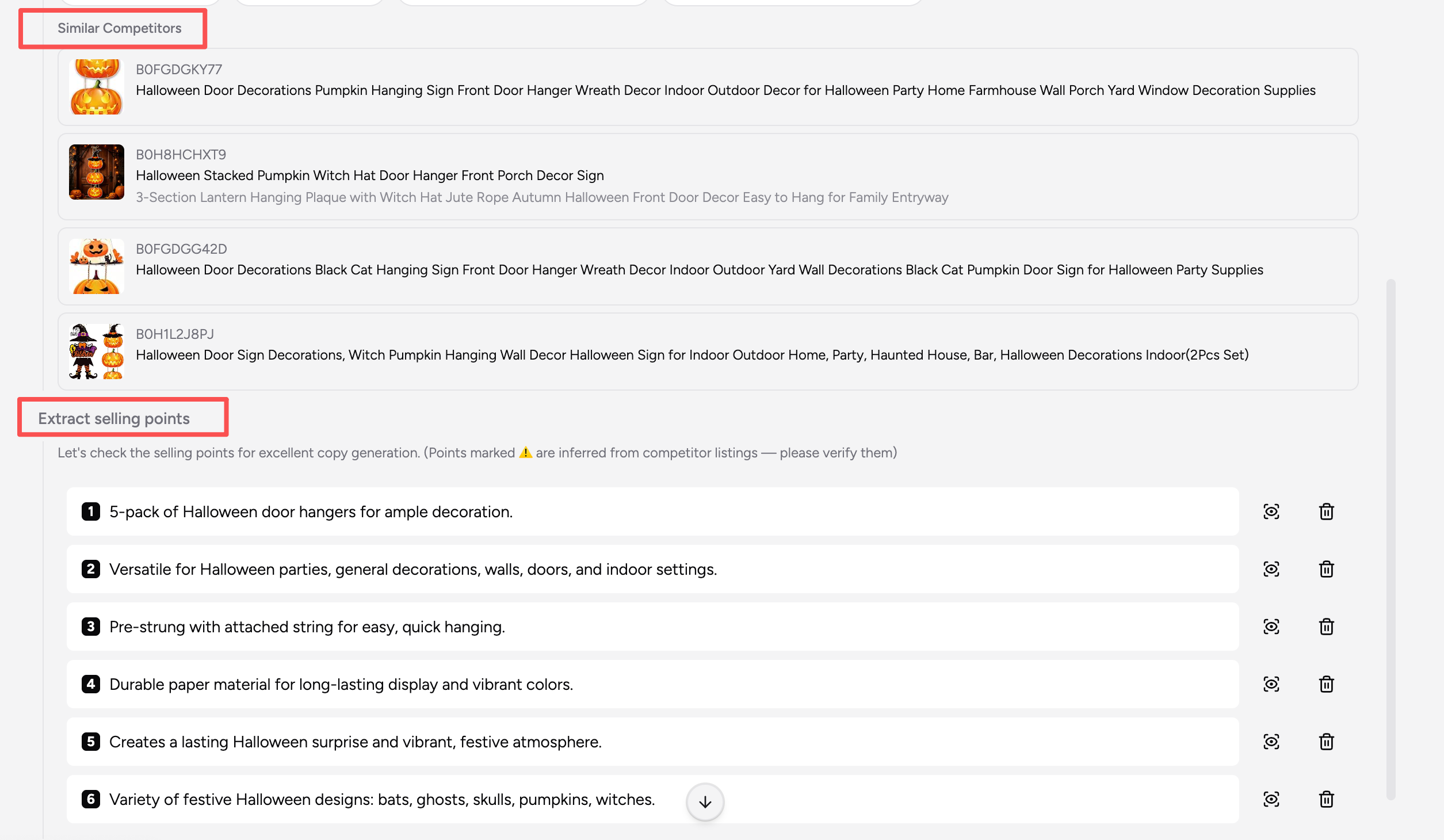
Step 2: Review Keywords and Selling Points
BeePOP uses ABA and OE search data, together with product relevance, to select suitable core keywords from the available candidates.

The system also analyzes competitors with similar appearances, structures, and use cases. It then extracts 1–10 selling points based on the product facts and relevant market information.
You can reorder the selling points, edit individual items, or add custom selling points. Confirm at least two selling points to continue generating the Listing copy.
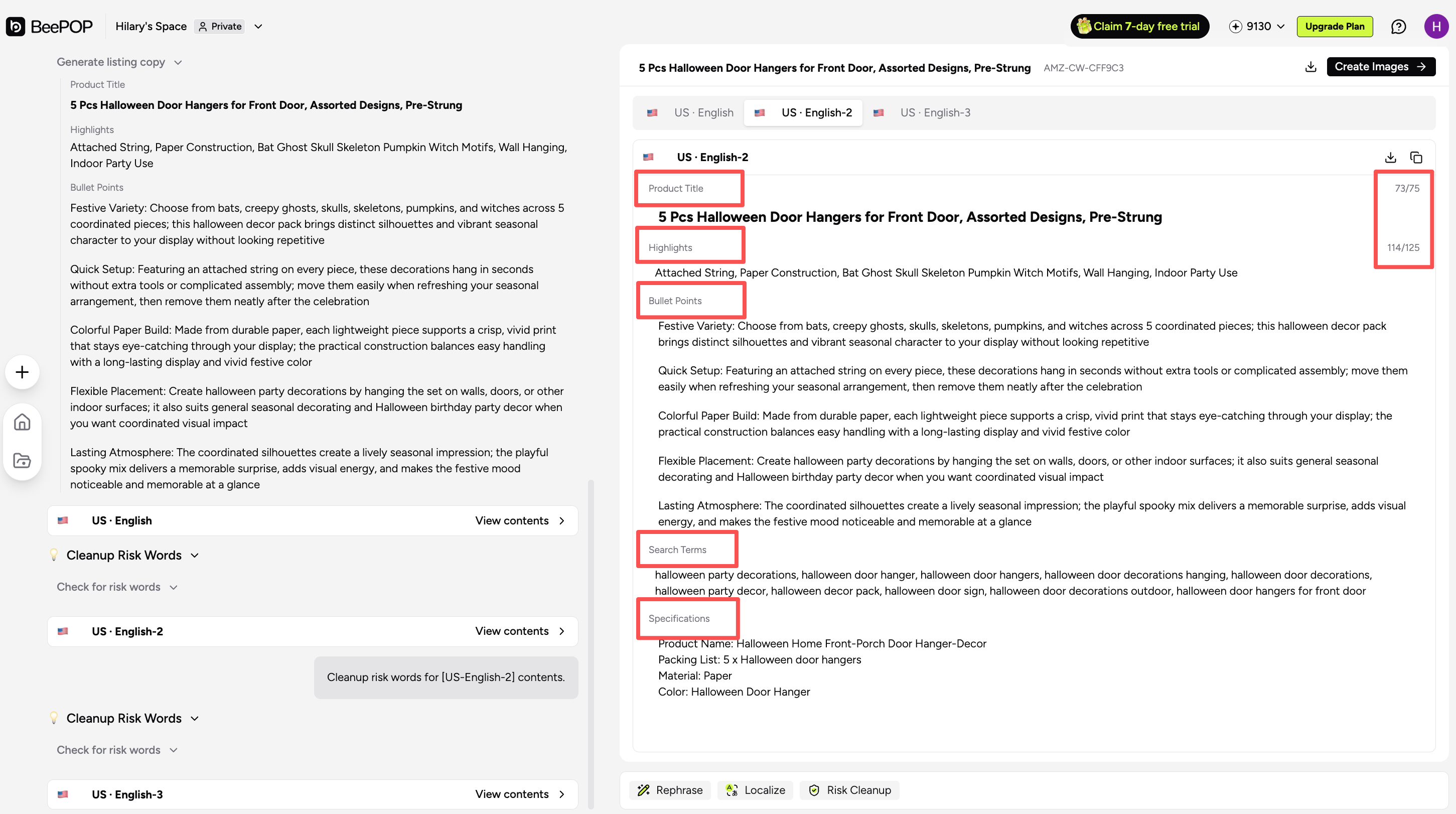
Step 3: Generate Complete Listing Copy
After confirming the product information and selling points, BeePOP generates a complete set of Listing copy, including:
- Product Title;
- Item Highlights;
- 5 Bullet Points;
- Search Terms;
- Specifications.
Core keywords are placed naturally within the title and bullet points according to the product information, balancing search relevance, readability, and clear communication.
Step 4: Review and Continue Editing
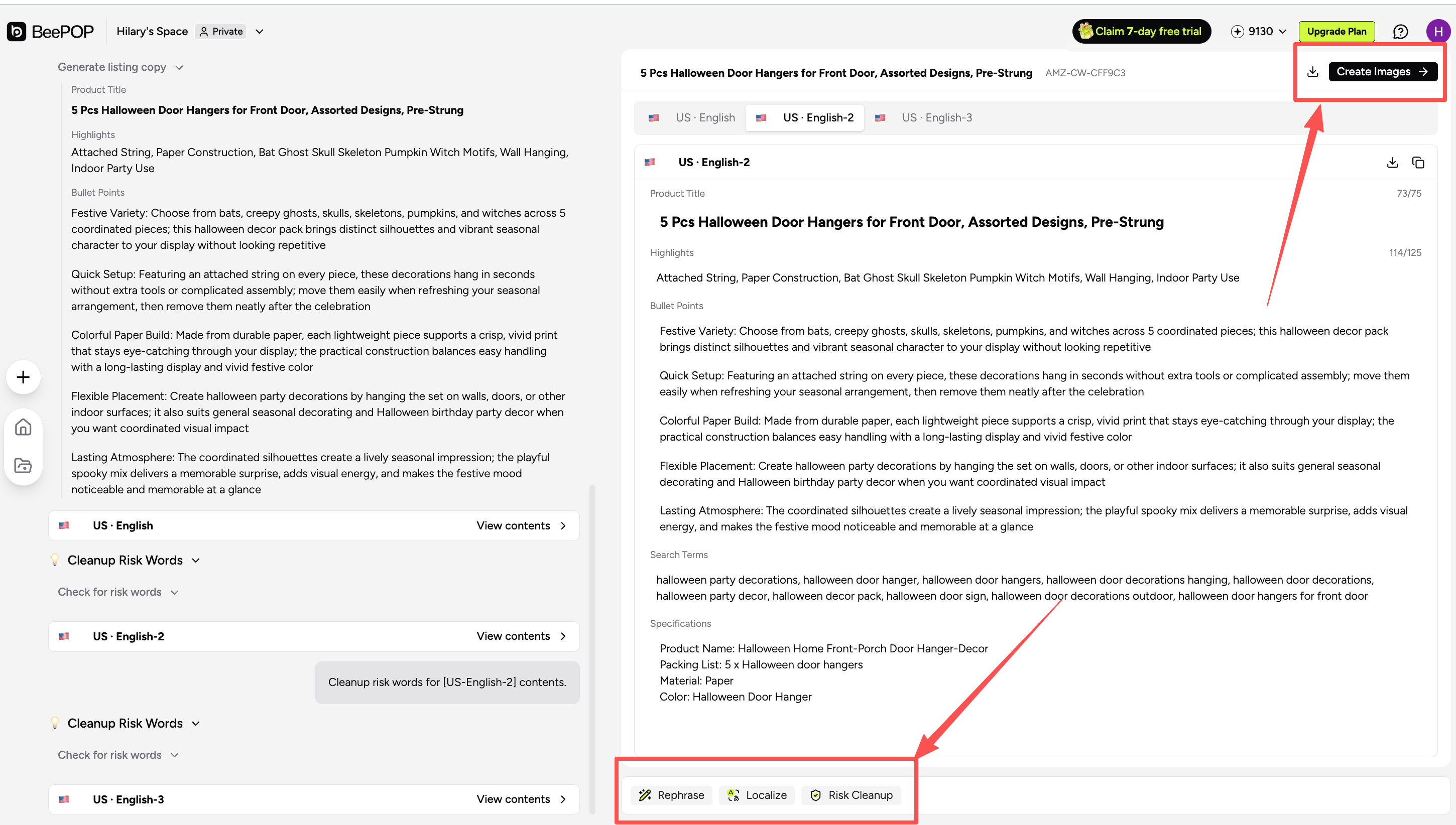
After the copy is generated, each section can be edited, copied, or downloaded separately. Batch downloading is also supported.
BeePOP provides additional tools for further processing:
- Risk Cleanup: Identifies and processes risky wording while highlighting content that may still require review;
- Localize: Generates Listing copy in up to 18 languages for different target markets;
- Rephrase: Creates differentiated versions for multiple stores or Listings;
- Generate Images: Uses the selected copy version to create corresponding Listing images.
What Makes BeePOP Listing Copy Different?
1. Generation Based on Product Facts
BeePOP organizes information from product descriptions and images, including materials, dimensions, structure, functions, package contents, and use cases.
Duplicate information is consolidated. If the product images and written information conflict, the product description entered by the user serves as the primary reference, helping reduce copy errors caused by inconsistent source materials.
2. Core Keyword Selection Using ABA and OE Data
BeePOP uses Amazon search data from ABA and OE to identify keywords that are relevant to the current product.
Keyword selection considers:
- Product relevance;
- Search ranking;
- Search volume;
- Search conversion rate.
The system also removes brand terms, incorrect attributes, and unrelated expressions.
Rather than inserting keywords mechanically, BeePOP places selected terms naturally within the title and bullet points to maintain readability while improving search relevance.
3. Analysis of Truly Similar Competitors
BeePOP does not rely solely on product categories when selecting competitors.
It also considers visual characteristics, product structure, and use cases to identify products that more closely resemble the item being listed.
The system then reviews relevant competitor titles, main images, Item Highlights, and bullet points, reducing the influence of unrelated products on selling-point selection and copy direction.
4. Selling Points Prioritized by Buyer Decision Logic
BeePOP extracts potential selling points from both the product information and similar competitors. The content is then consolidated, deduplicated, and checked against the available product facts.
Selling points are prioritized according to Buyer Decision Priority—the information buyers are most likely to consider when deciding whether to purchase.
This allows the generated copy to explain not only what the product includes, but also how its features may provide practical value to the buyer.
5. Built-In Risk Cleanup
BeePOP can identify and process potentially risky wording in the Product Title, Item Highlights, Bullet Points, Search Terms, and Specifications.
Content that may still require attention is highlighted for further review before publication.
Risk Cleanup can remain enabled during initial generation or be applied again after the copy has been created.
6. Multilingual Localization
The Localize feature can generate Listing copy in up to 18 languages for different countries and regions.
It adapts terminology, phrasing, specifications, and measurement conventions according to the selected target market, helping sellers reuse the same product strategy across multiple marketplaces.
7. Differentiated Rewriting
For multi-store operations or different Listings, the Rephrase feature reorganizes wording and selling-point presentation without changing the underlying product facts.
Each version can be edited, copied, and downloaded independently, reducing repetitive content across different product pages.
8. Generate Listing Images Directly from Copy
After completing the Listing copy, users can generate corresponding product images without reorganizing or resubmitting the product information.
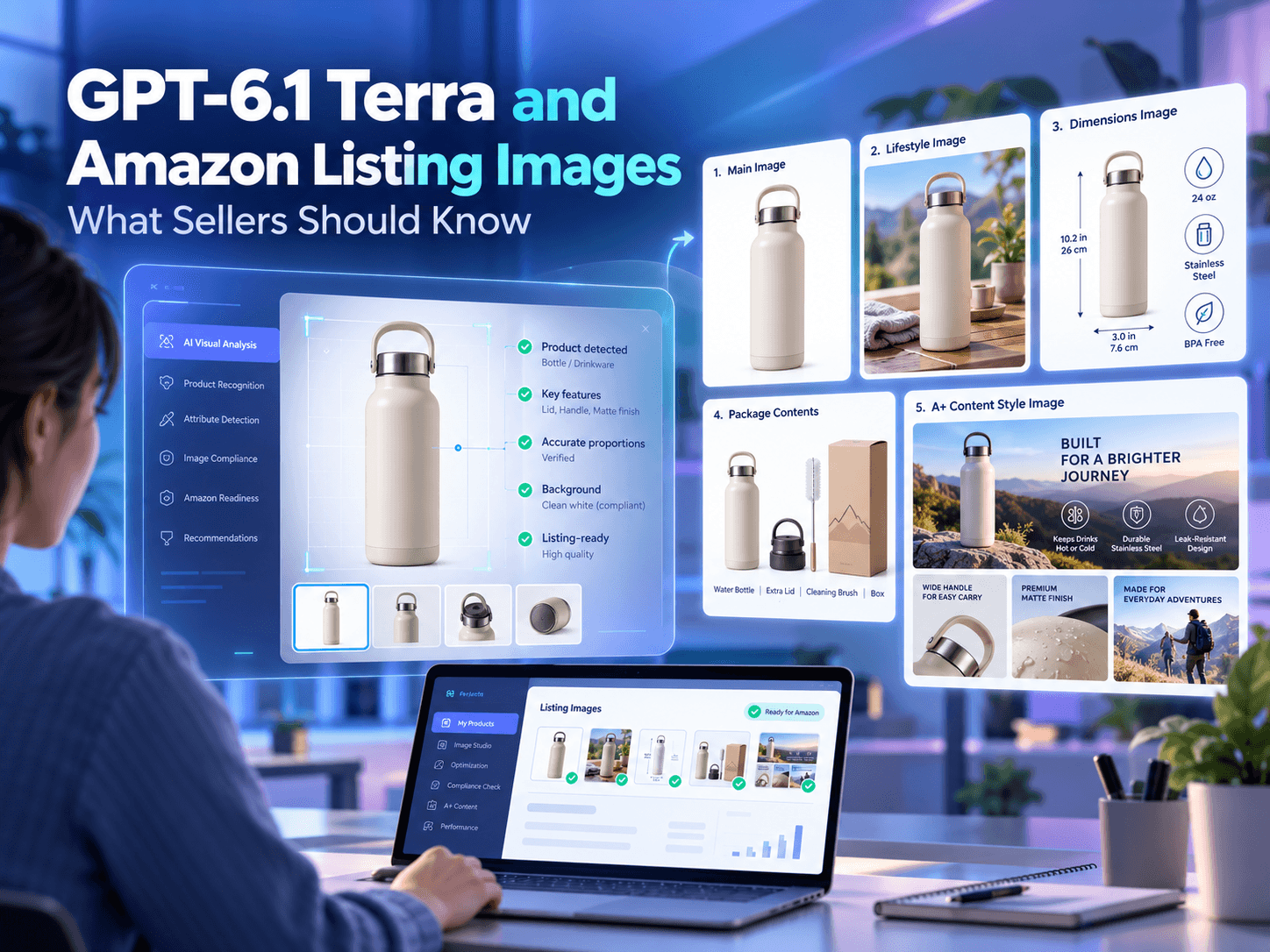
Available image types include main product images, lifestyle images, feature infographics, dimension images, and A+ Content.
This allows sellers to create both Listing copy and images within BeePOP instead of transferring product information between multiple platforms.
Start Using BeePOP Listing Copy
From product information organization and keyword selection to similar-competitor analysis, selling-point extraction, Risk Cleanup, and multilingual localization, BeePOP helps sellers complete their Listing copy within one platform.
Start your 7-day free trial: https://app.beepop.ai
Register an account and add a credit card to activate the trial.