Most Amazon teams do not fail on the product — they fail on production latency.
You already have a real SKU photo. But the main image, benefit callouts, A+ content, and seasonal variants still sit in a design queue. Every promotion becomes a scramble: new badges, new bundles, new claims — each waiting on the same bottleneck.
BeePOP flips that workflow: one clear product photo in; a coherent, on-brand asset set out — in minutes, not weeks.
Whether you run one hero ASIN or a mass-listing long-tail catalog, the constraint is the same: visual throughput must match listing velocity without sacrificing compliance.
This guide covers the core benefits, a three-step publishing flow, what changes when you scale listings, which visual assets to build — and in what order — and how niche variants fit as you grow.
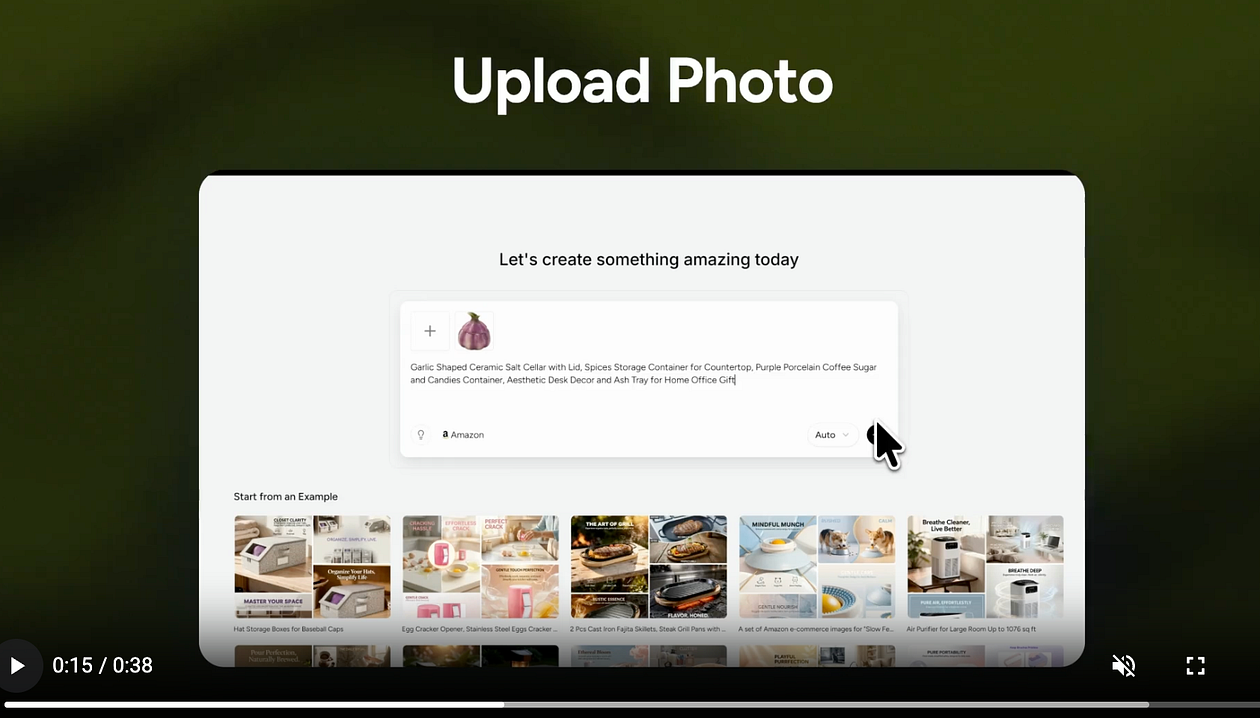
👉 Experience the zero-friction content workflow at beepop.ai and launch your Amazon A+ content.
🚀 Key Benefits of BeePOP
- Higher profit margins (via lower content cost): Cut repetitive design outsourcing and reshoots; keep more margin while shipping premium-looking visuals.
- Complete control over listing visuals: Set angle, layout, copy focus, and hierarchy for main images, infographics, and A+ modules — without a design queue.
- Streamlined production: Start from one real photo; generate benefit, spec, and comparison variants to match conversion goals and test faster.
- Flexible pricing and marketing iterations: When promotions change, update badges, bundles, and claims without a full redesign cycle.
- Stronger brand consistency: Keep a unified look across ASINs and lines so your store reads as a brand, not a patchwork.
The real win: It turns listing visuals from a recurring bottleneck into a compounding catalog advantage.
📸 Generate and Publish in 3 Steps
1. Upload a single SKU photo
Use a well-lit photo on a neutral background, with the product filling most of the frame. Sharp edges and true color help the model preserve specs and packaging details. Avoid heavy filters or props that are not included in the shipment.
2. Describe your product
Add features, audience, and style direction — tone (premium vs. value), claims you can support, and any compliance limits. The richer the brief, the more on-brand the benefit callouts and A+ modules — not just generic “AI polish.”
3. Create and export
Select main images, secondary images, and A+ content assets; export them in formats ready for listing upload and A+ content workflows. Refine hooks per SKU, then publish and use your usual listing tests to see which assets move CTR.
With an A+ content pipeline in place, teams cut manual rework and iterate visuals faster — then test which assets perform when they launch listings in bulk.
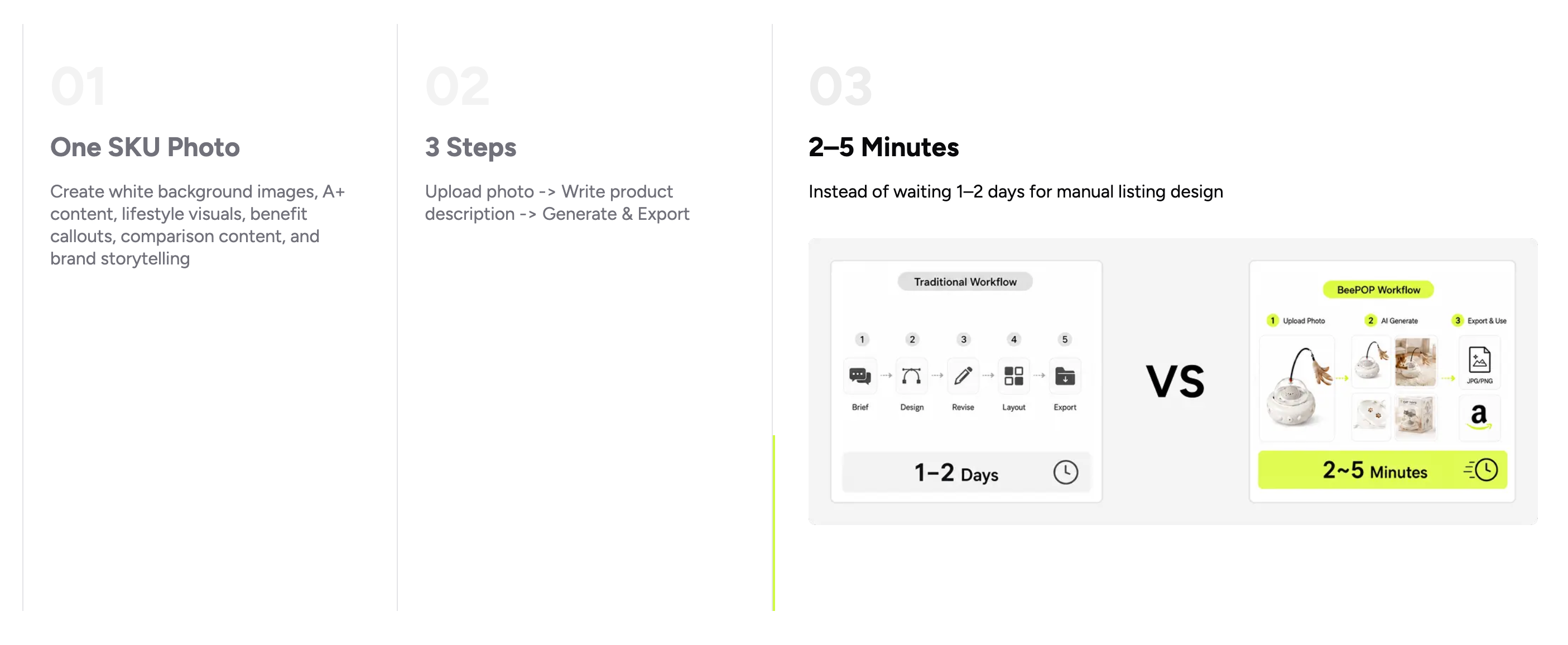
What Changes When You Scale Listings
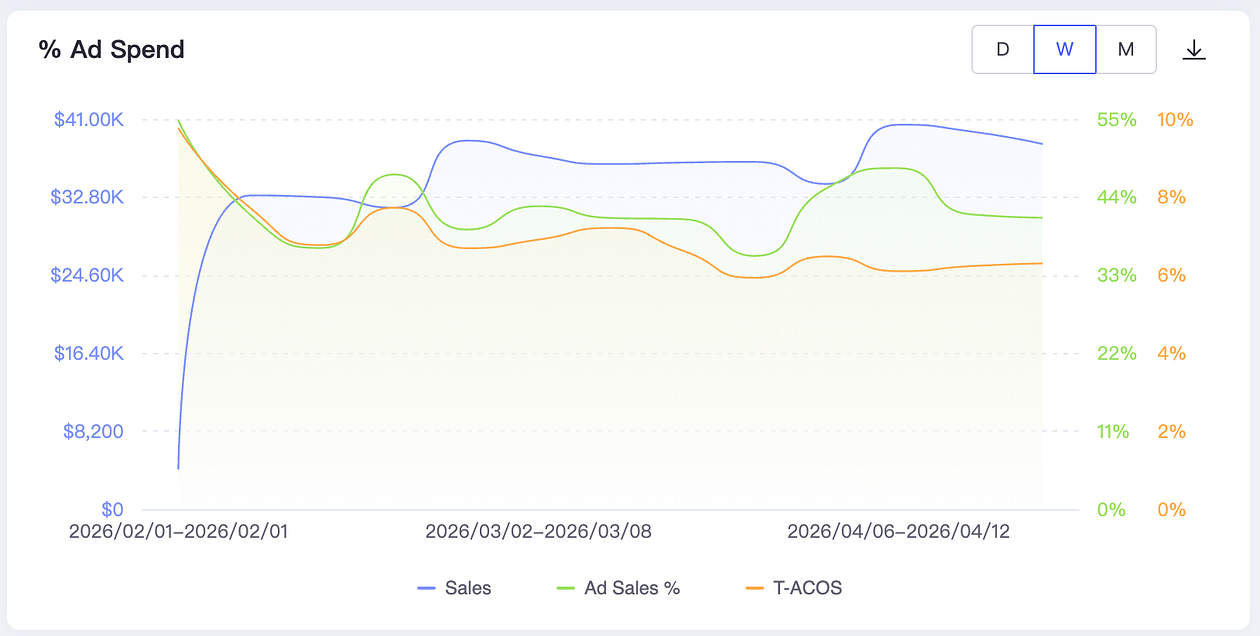
A store’s advertising performance: revenue increased, but ad TACoS decreased.
Scaling SKUs changes the job: It is less “one perfect listing” and more repeatable visual throughput with guardrails.
- Long-tail and niche coverage: Instead of fighting head terms in saturated categories, many small and midsize business (SMB) sellers grow by owning long-tail keywords through a mass-listing strategy. BeePOP lets you generate multiple targeted image sets in minutes — so listing count can scale without the grind of manual redesign per ASIN.
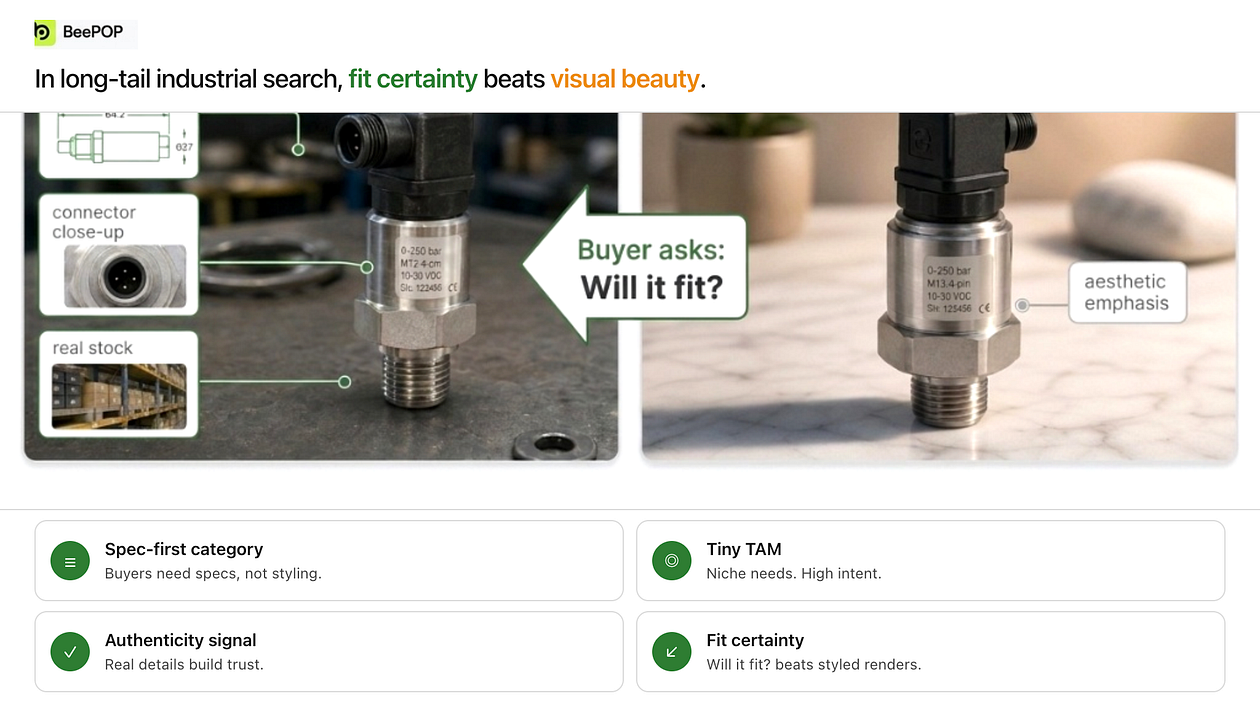
- Accuracy and compliance under speed: Faster output does not relax the rules. Specs, claims, packaging details, and marketplace policies still need a pre-publish review — especially when you batch dozens of SKUs in a day.
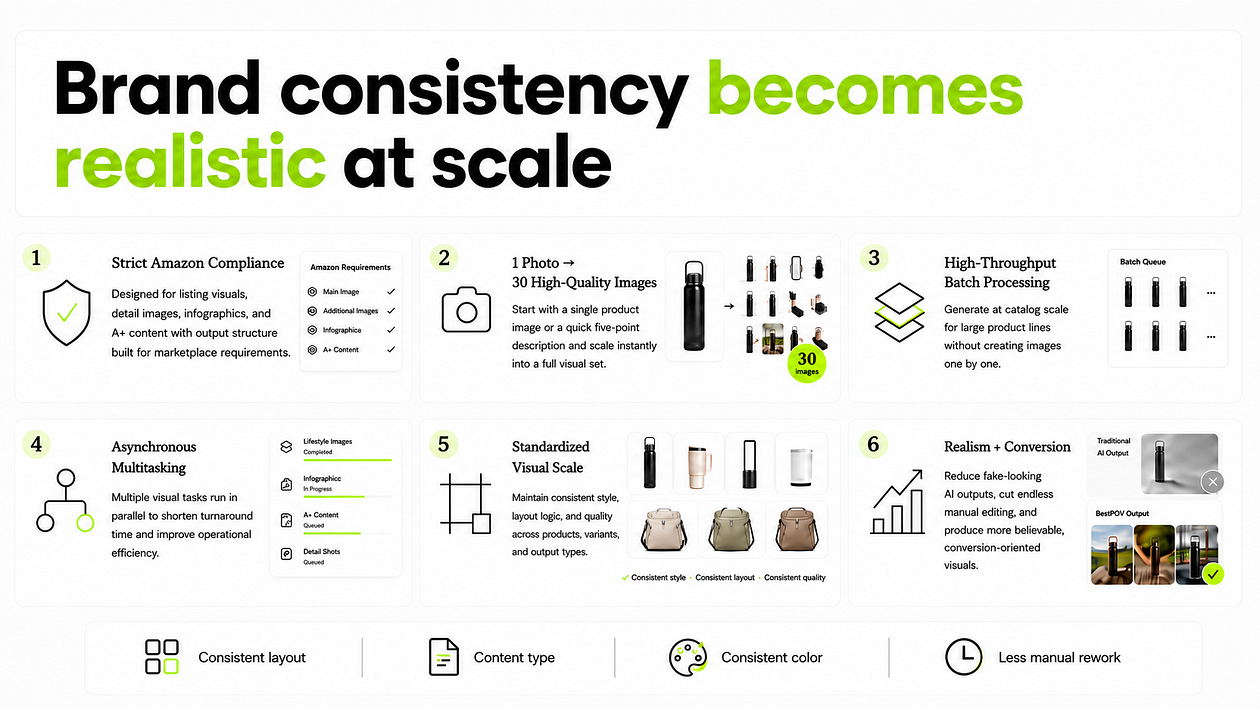
- Brand consistency as a side effect: When production cost per asset drops, consistent style across the catalog becomes realistic. Stores that used to look patched together can standardize hierarchy, typography, and color without hiring a full in-house studio.
Types of Listing Visual Assets
Build in this order when time is tight: main image → benefit callouts → A+ → lifestyle → comparison
BeePOP supports the full stack from core conversion assets to niche variants.
Main Images
Create clean, compliant heroes with a clear hierarchy — then spin variants for different hooks and bundles. Amazon’s main images should usually be white background images and show only the exact items included in the purchase.
If you are selling a “2-Pack,” showing two units is appropriate; if you are selling a “1-Pack,” stacking multiple units can mislead shoppers into thinking they will receive more than one.
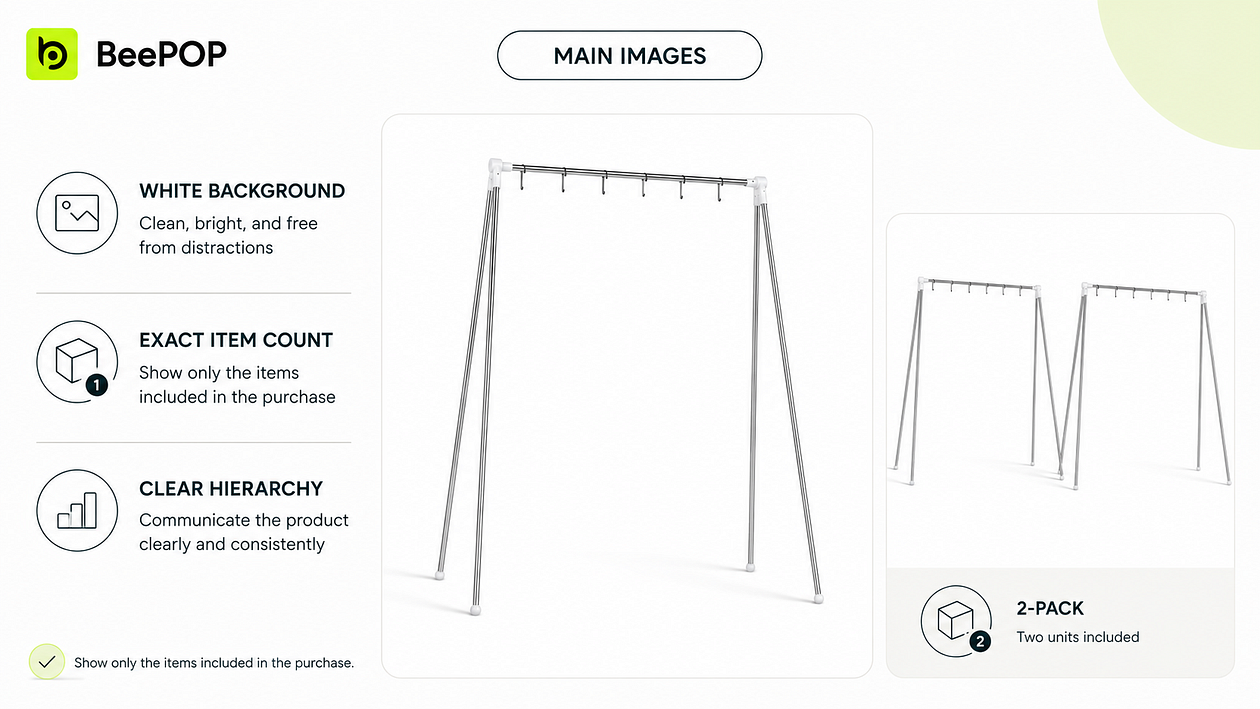
Main image — compliant hero and pack-count variant
Benefit Callouts
Show what the shopper gains, not only what the product has — especially on mobile. Strong callouts answer “why this” in one glance.
Examples:
Easy to clean
Long-lasting use
Holds more items
Better fit
See contents at a glance
Stays in place
Saves space
Easy access
Built for daily use
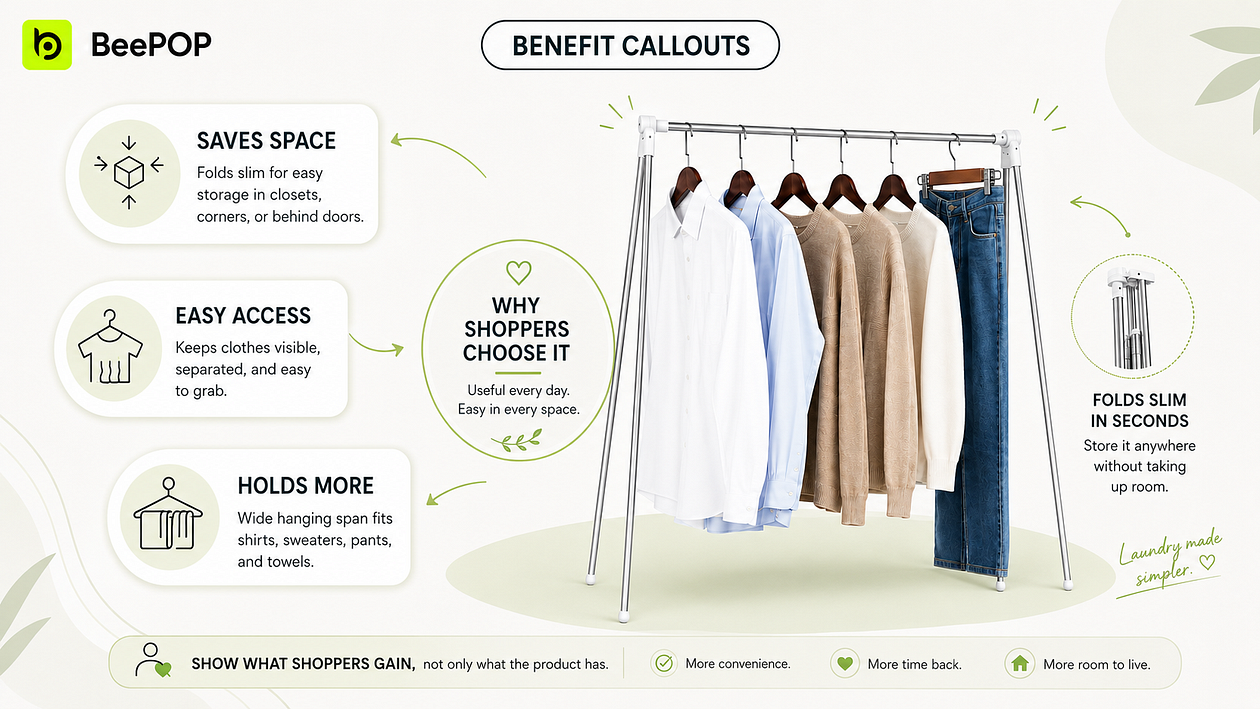
Benefit callout — mobile-first value hierarchy
A+ Modules
Use A+ to answer questions the gallery did not fully resolve: positioning, use cases, and proof.
Keep modules aligned with the same visual system as your main and secondary images so the listing feels like one brand story.
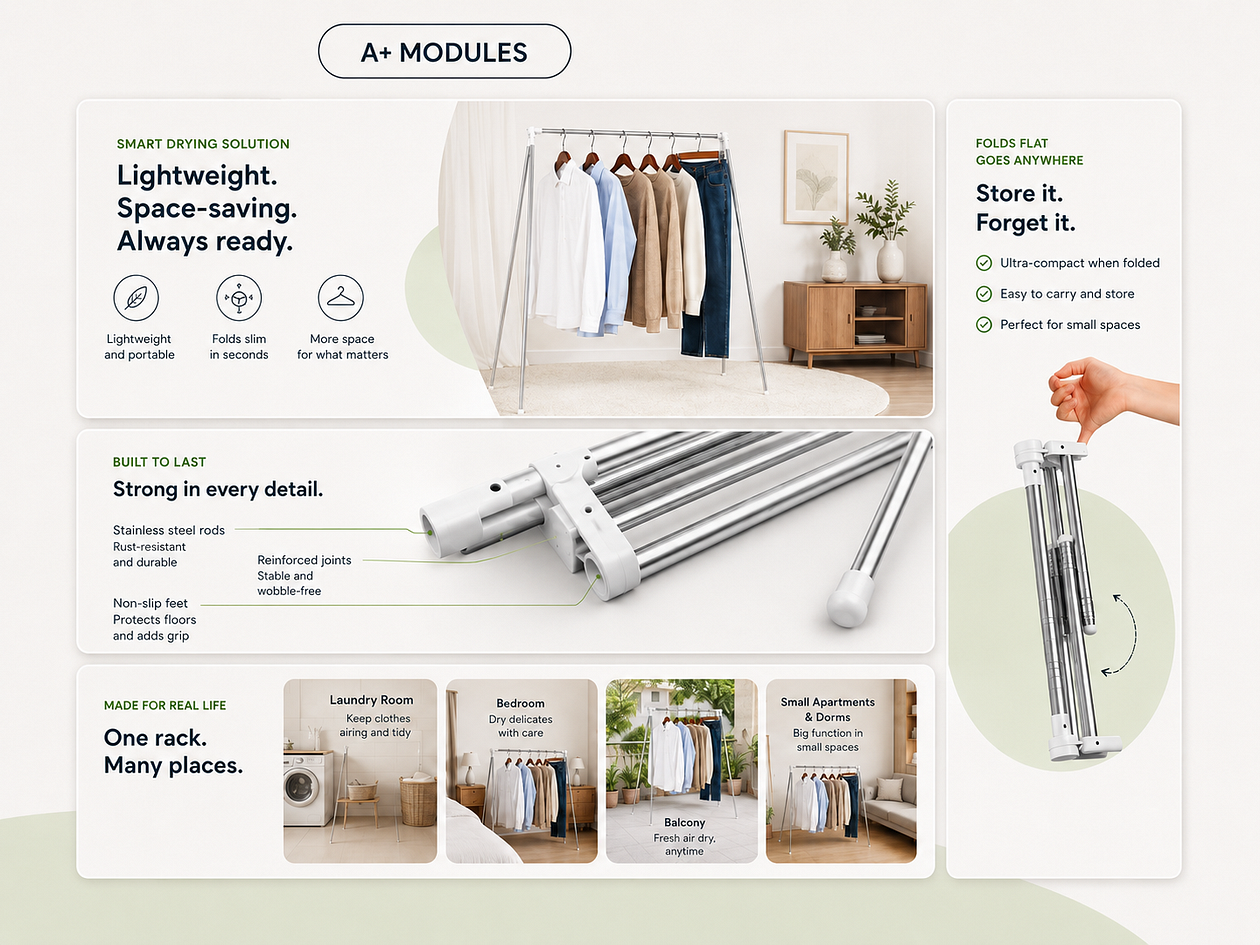
A+ module — brand and trust layout
Lifestyle Variants
Help shoppers imagine real use — critical in crowded categories. One SKU can support multiple scenarios (meal prep, office lunch, fridge organization) without reshooting; BeePOP generates scenario-specific frames from the same source photo.
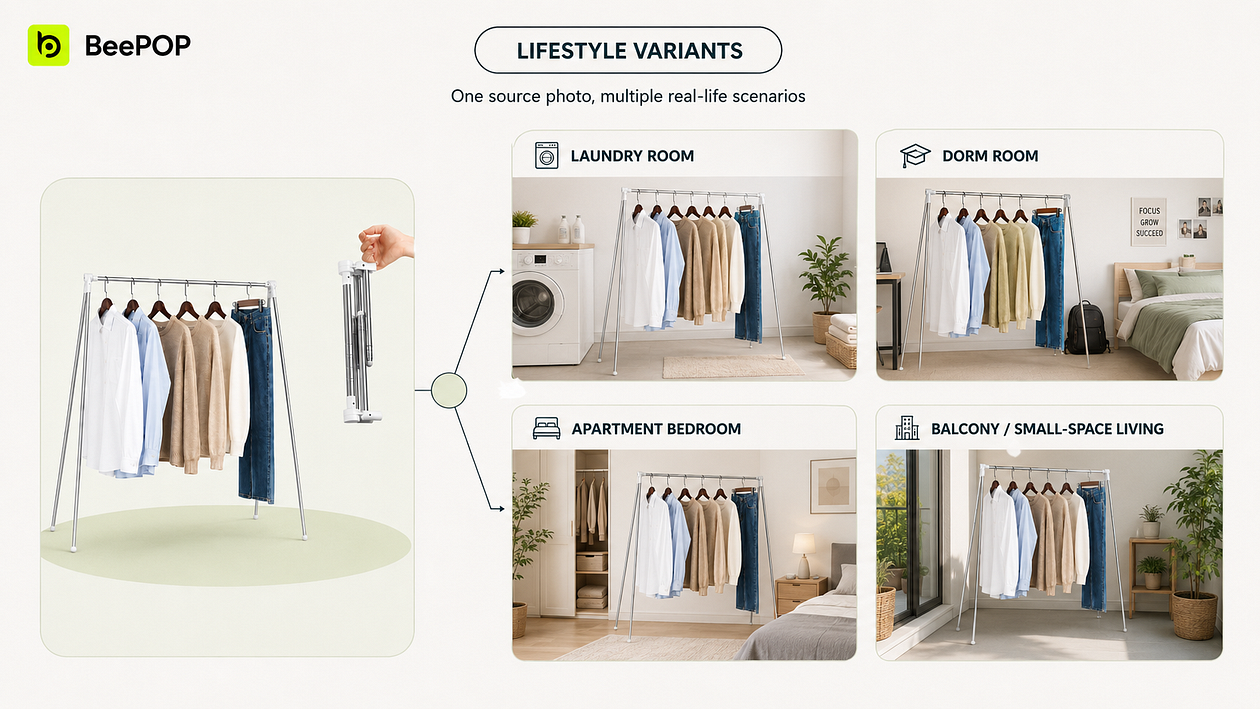
Lifestyle variant — scenario selling from one SKU
Scenario: The buying rationale in the user’s mind. Meal Prep: I can prepare a week’s worth of meals in advance. Office Lunch: I can bring my lunch to work. Family Kitchen: It keeps ingredients in the home kitchen neatly organized. Picnic / Outdoor: Convenient to carry when heading out.Fridge Organization: It makes the refrigerator space look tidier.
Comparison Content
Win undecided shoppers with visual contrast — your product vs. alternatives on fit, capacity, or value. Pair comparison images with Variations and Bundles in the late funnel so hesitation drops.
“Large capacity” is weak; “Holds phone, sunglasses, keys, and tissues — unlike narrow gap fillers” is concrete.
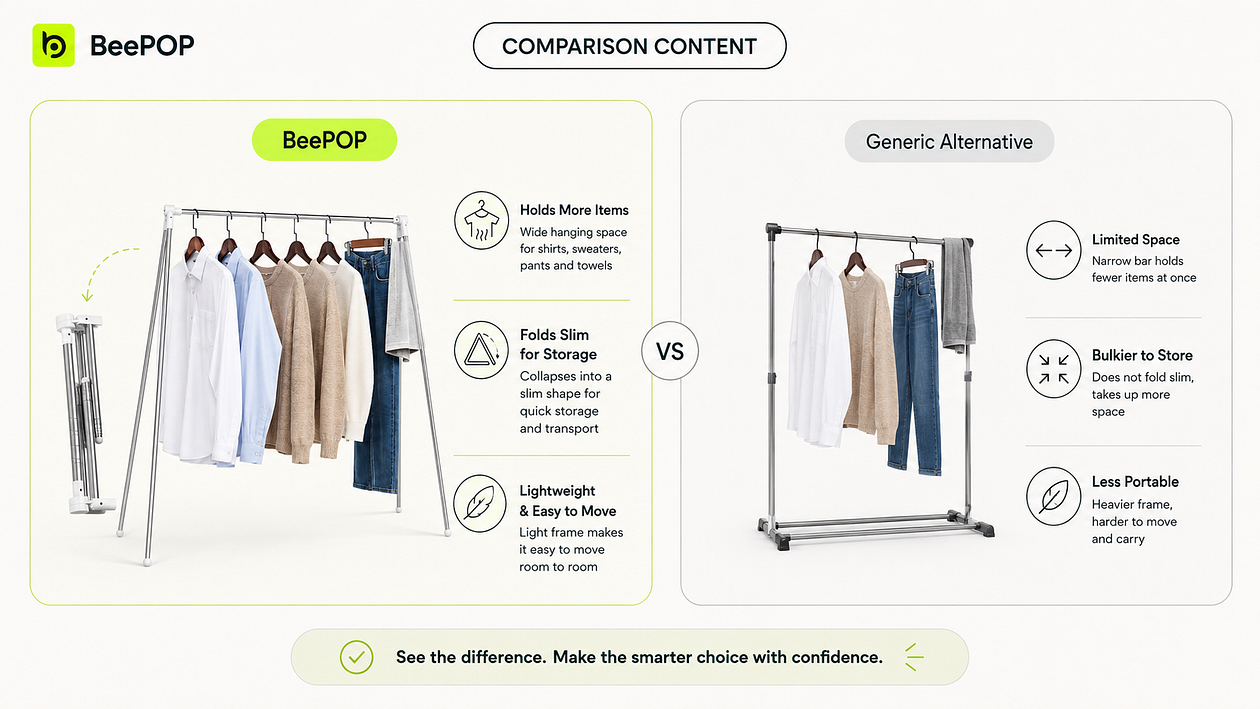
Comparison content — why choose us
Niche Opportunities
As you grow, you will need variants for new keyword angles, seasons, audiences, and creator traffic — without rebuilding from scratch each time. BeePOP makes it practical to fork a proven visual system per niche while keeping brand DNA.
In premium segments, consistent high-end visuals are a moat: buyers pay for coherence, not just specs. Early-bird access is open at beepop.ai if you want to run the three-step flow on your next SKU.
Questions for You
When you scale listings, which asset type usually moves the needle first for your category — main image, benefit callout, or A+?
Reply with one letter (M / B / A) and your niche; we will share how teams in similar categories sequence their BeePOP pipelines.