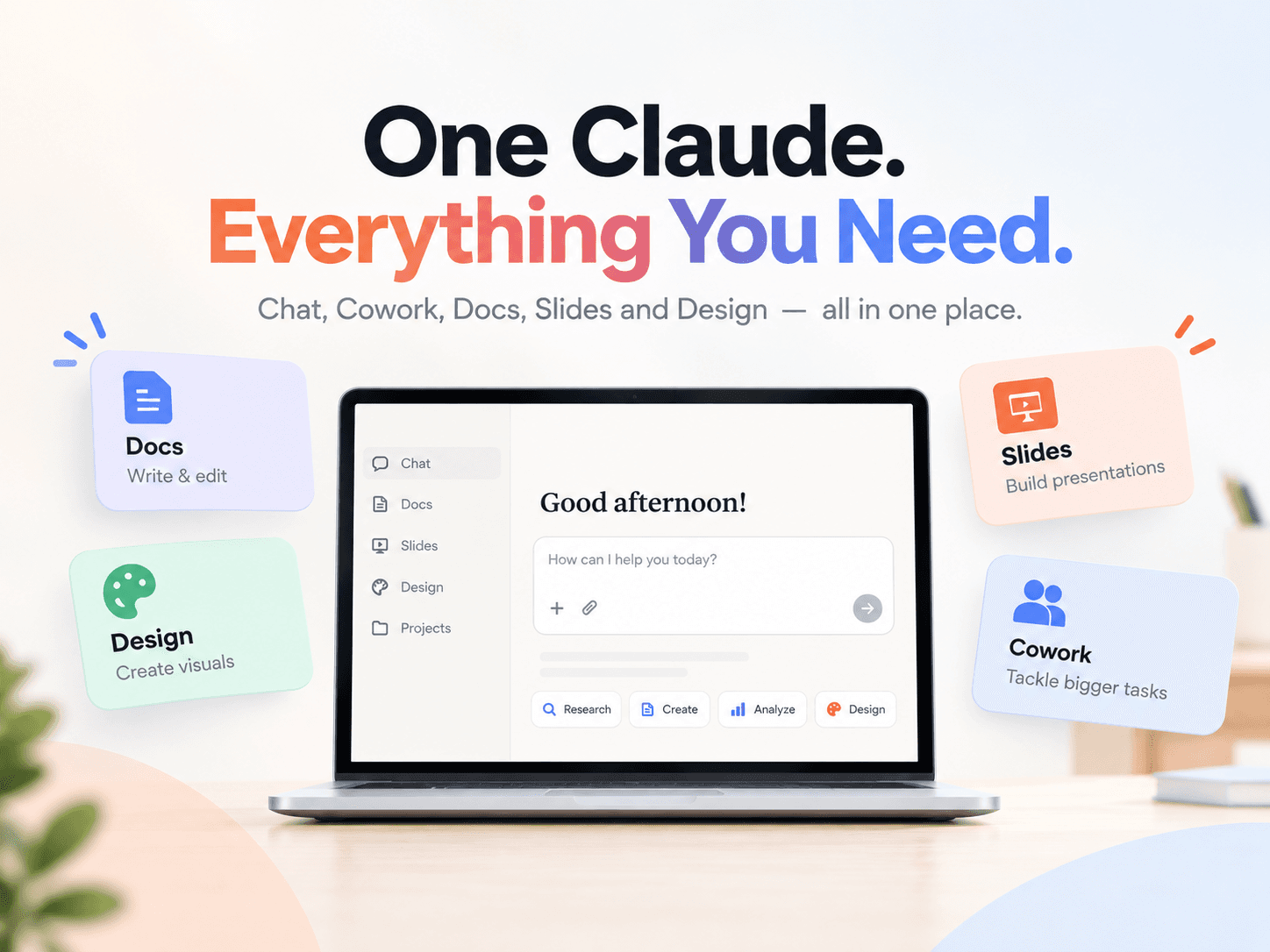
Anthropic is merging Claude Cowork and regular chat into a single conversation. You no longer have to decide, before you start, whether a task belongs in chat or in Cowork. Ask for a quick answer or hand over a longer piece of work. Claude chooses the tools.
The company says the change is rolling out first to Pro and Max users on web, desktop, and mobile over the coming weeks. Team and Free plans are scheduled to follow. Enterprise admins are supposed to get at least 30 days’ notice before anything changes for their organizations.
At the same time, Anthropic introduced Claude Docs and Claude Slides, and it brought Claude Design into regular conversations. All three are in beta on paid plans.
This article sticks to Anthropic’s own blog post and Help Center pages. Where a detail is not published there, it is left out.
Why Anthropic Merged Cowork and Chat
Cowork was built as a separate place for larger jobs. Design was built as a separate place for visual work. Anthropic says people used both, then ran into the same problem: they had to guess where a task belonged, and work started in one place did not carry into the other.
The new setup is meant to remove that choice. Cowork-style work and Design-style work can start from any conversation, using the context, skills, and connectors already attached to the account.
A quote Anthropic published from Andrew Keller, Senior Economist, describes Claude pulling cases from a legal research database, reading them, finding related cases, downloading them, and storing them in a folder for review.
What You Can Do in the Merged Experience
According to the Claude Help Center article Claude Cowork and chat are one Claude, the merged product can:
- Answer a short question in the same thread as a longer task
- Take on research, reports, spreadsheets, and presentations, then return editable files
- Keep more involved cloud tasks running after you close the laptop or leave the page
- Create documents, spreadsheets with working formulas, and presentations you can open in PowerPoint
- Use connected apps such as Google Drive, Gmail, Microsoft 365, or Slack while a task is running
- Run scheduled work, including tasks that continue in the cloud when the computer is off
- Let you check progress, answer Claude’s questions, or redirect a task from Claude Mobile
- Apply Skills and plugins you already use
Two important limits are stated in the same Help Center article:
- Tasks that use files or apps on your computer need Claude Desktop open.
- Claude can reach local files, the built-in browser, and computer use only while Claude Desktop is open. By default, it asks before permanently deleting files.
Computer use (clicking, typing, and navigating apps on your screen) is listed as beta on Pro and Max.
Claude Docs, Claude Slides, and Claude Design
Anthropic’s blog post says documents, slides, and designs no longer need a separate home. Ask for a document and you write it with Claude. Ask for a presentation and Claude drafts the slides. You can edit the result, present it from Claude, or download slides as PowerPoint or PDF. Work made with Design, Slides, or Docs lives at a shareable link that can be opened on a phone.
The Help Center is more specific about Docs and Design.
Claude Docs
Official Docs guidance says Claude Docs is a living document you can create in any conversation. Claude can draft it, ask questions first, and leave comments that explain its choices. You can type in the doc yourself, ask Claude for another pass, mention @Claude in a comment, or share it by link.
Documented facts:
- Availability: beta on Pro, Max, Team, and Enterprise. Not available on Free.
- Defaults: on by default for Pro, Max, and Team. Off by default on Enterprise until an owner turns it on under Organization settings > Artifacts.
- Not available yet for organizations using CMEK, zero data retention (ZDR), or a HIPAA-ready configuration.
- Docs can include headings, tables, and more than one tab. They are saved in the Artifacts tab.
- Claude can draw on files, memory, projects, skills, and connected apps.
- Opening a shared doc requires a Claude account.
- Export formats: Word (
.docx), PDF, Markdown, and Google Docs. - You can ask Claude to turn a doc into a presentation with Claude Slides.
- On Team and Enterprise, docs cannot be shared outside the organization yet.
- On Pro and Max, you can share with anyone who has the link.
- Version history is not available yet.
- On iOS and Android, you can view a doc. Starting from a template, editing, or changing share settings still needs web or desktop.
Claude Slides
Anthropic’s blog post is the main public description of Claude Slides. It says Claude can draft slides, you can edit them, present them from Claude, and download them as PowerPoint or PDF. The merge Help Center article also states that Claude Slides makes presentations, and that you can edit the result, share it by link, or export it.
A dedicated “Get started with Claude Slides” Help Center page was not found at the time of writing. Extra claims about Slides that Anthropic has not published for Slides itself are not included here.
Claude Design
Official Design guidance says you can ask for a design in a regular conversation. Claude Code is a documented path as well: you can use /design to create, edit, and sync designs, and /design-sync to pull in a design system. The standalone product at claude.ai/design still works, and existing projects stay there.
Documented facts:
- Availability: beta on Pro, Max, Team, and Enterprise. Not on Free.
- Enterprise default: off until an owner turns it on.
- You can refine a design in chat, with inline comments, or by editing on the canvas.
- On iOS and Android, you can ask for a design and check back later. Canvas editing and share-setting changes need web or desktop.
- Version history is not available yet.
- Multi-person editing is still described as basic and may not work reliably.
Who Has the New Experience, and How to Tell
Anthropic is rolling this out in stages. Being on Pro or Max does not mean the merge is already on your account.
The Help Center says:
- You do not need to turn anything on.
- If you are on Pro or Max and the message box still shows separate Chat and Cowork options, you do not have the new experience yet. Keep using chat and Cowork as you do today.
- Your chats, tasks, projects, and settings move with the account when it switches.
- After the new experience arrives, you cannot switch back to separate Chat and Cowork options.
For people who already used Cowork, Anthropic says existing chats, projects, artifacts, connectors, skills, and Cowork tasks carry over. Those tasks still open so you can continue them. The model picker and the Code tab stay where they were.
A few things move:
- Cowork tasks sit with chats in Recents.
- Cowork Global instructions become Instructions for Claude in Settings > General.
- There is no web search toggle. Claude searches the web when it helps.
- Research can be started with
/deep-research, or from the “+” button, then Research.
How Claude Asks for Permission
The blog post says Claude asks before taking an action by default, and that you can let it keep working and check in only when something needs a closer look. You keep the final say.
The Help Center names the two settings in the message box:
- Manual (default): Claude asks before it takes actions.
- Auto: Claude keeps working without stopping to ask about each step. Automated safety checks still run before an action.
You can change the setting at any time, and you can stop or redirect Claude while it works. Anthropic’s own safety note is to stay close and review work with real consequences, such as sending messages or changing important files.
Current Limitations Anthropic Has Published
These limits come from the official merge Help Center article:
- Add from GitHub is not supported.
- Branching a conversation from an earlier point is not available.
- Incognito chats still work, but they open in the previous experience. Claude cannot create files or run code in them.
- Search does not include older Cowork tasks. It covers chats and new conversations. Older tasks can still be found by name in Recents.
- Dispatch is not available to new users. Existing Dispatch users can keep using it for now.
Usage also counts against the plan’s normal limits. Longer agentic tasks that search the web, run code, or create files generally use more than a short question. During rollout, Anthropic says usage may be measured slightly differently for accounts that have the new experience and accounts that do not.
How to Get Started
If you mostly use chat, Anthropic says you do not have to change anything. For a larger job, describe the outcome the way you would brief a colleague.
The Help Center says results improve when you include:
- The outcome you want, such as a one-page summary or a spreadsheet with a tab for each region.
- The format you want back, such as a Word document or a slide deck.
- The files, links, or apps Claude should use.
Official examples include:
- “Go through these five interview notes and pull out the top themes, with a quote for each.”
- “Research the top project management tools for small teams and write up a comparison. I’ll check back later.”
- “Turn this analysis into a 10-slide deck I can present on Monday.”
- “Every weekday at 8 AM, summarize new messages in my team’s Slack channels.”
The blog’s own weekly-report example is similar: ask what moved in the pipeline, have Claude write the report in the usual format, flag anything that slipped, and put the highlights into five slides. Because the report and the slides come from the same conversation, they are supposed to match.
FAQ
Is Claude Cowork going away?
No. Anthropic says everything Cowork does is now available from any conversation. Existing Cowork tasks, projects, connectors, skills, artifacts, and files carry over.
Which plans get the merge first?
Pro and Max first, on web, desktop, and mobile. Team and Free are listed as coming soon. Enterprise admins are supposed to hear at least 30 days before anything changes. If your Pro or Max account still shows separate Chat and Cowork options, you do not have the new experience yet. After it arrives, you cannot switch back.
Are Claude Docs, Slides, and Design on the Free plan?
Anthropic groups all three as beta on paid plans. Help Center pages say Docs and Design are not available on Free. Enterprise admins choose when to turn these tools on. The standalone Claude Design experience at claude.ai/design still works.
Can Claude keep working after I close my laptop?
Yes, for more involved cloud tasks. Work that uses local files or local apps still needs Claude Desktop open.